


Today we’re digging into a common pain point for many founders: onboarding.
Whether you’re onboarding for an in-house role or contractors/freelancers, the problem with onboarding is that YOU’RE the delivery system for it.
Every “quick question” turns you into a live help desk, and the day disappears in tiny interruptions. Meanwhile your hire is trying to be proactive, but the only way to learn is to dig through docs that may or may not be current.
The solution?
A ChatGPT Project lets you hand off the constant explaining and give them a self-serve hub that actually reflects how your company works.
Here’s the 4-step process for setting up your onboarding hub in ChatGPT.
Step 1: Create a new Project.
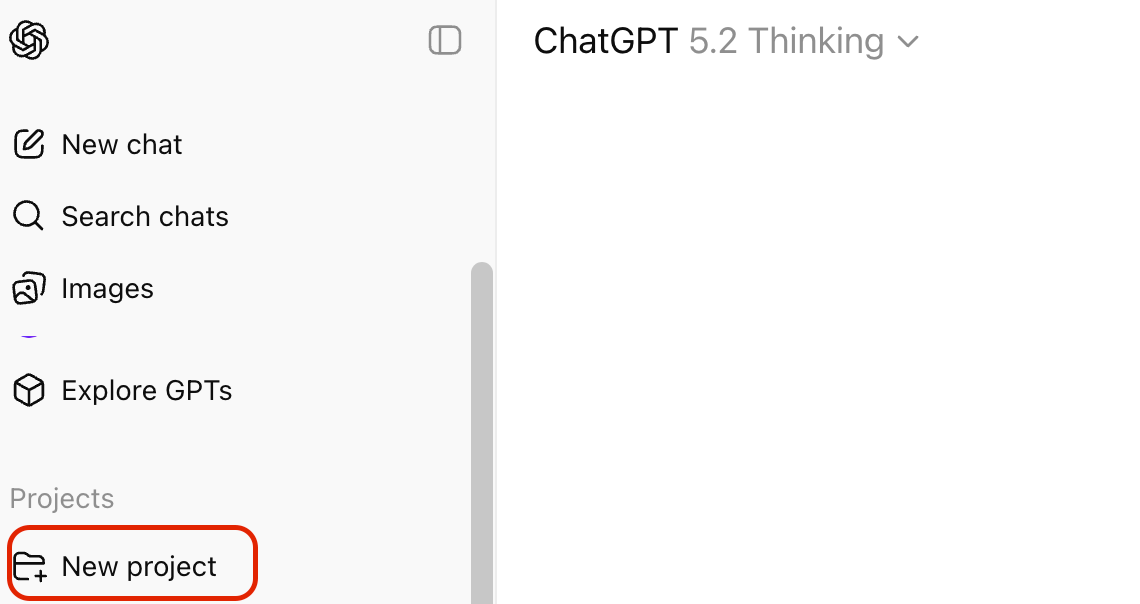
In the sidebar of ChatGPT under “Projects,” select “New project.” Name it something clear like “New Hire Onboarding” or “[Company Name] Knowledge Center.”
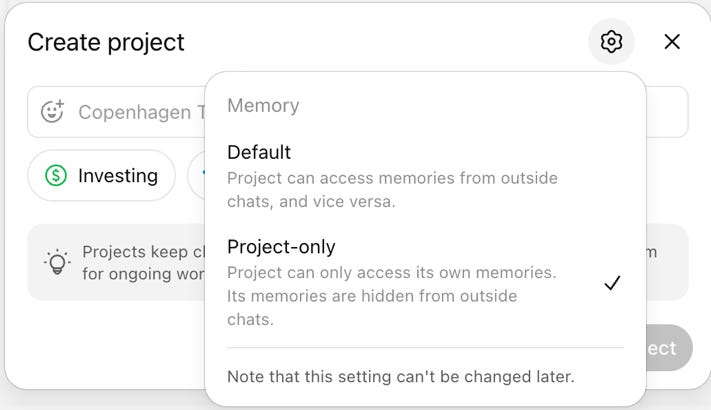
*Note: During this step, select the settings icon and choose “Project-only” so people using the project can’t access memories from your other chats.
Step 2: Upload your company materials.
Drop in:
SOPs and process docs
Job descriptions
Company background and mission
Org charts
Any onboarding packages you have
All of this becomes the Project’s knowledge base. Your new hire asks questions, the project pulls from these docs to answer.
Step 3: Write a custom system prompt.
In the Project settings, add instructions like:
You are a knowledge center for [Company Name]. You help new [role] hires understand the company, their responsibilities, and our processes. You have access to our SOPs, org charts, job descriptions, and onboarding materials. Answer questions clearly and specifically using the documents provided. If something isn’t covered, say so — don’t guess.
Step 4: Share the Project link.
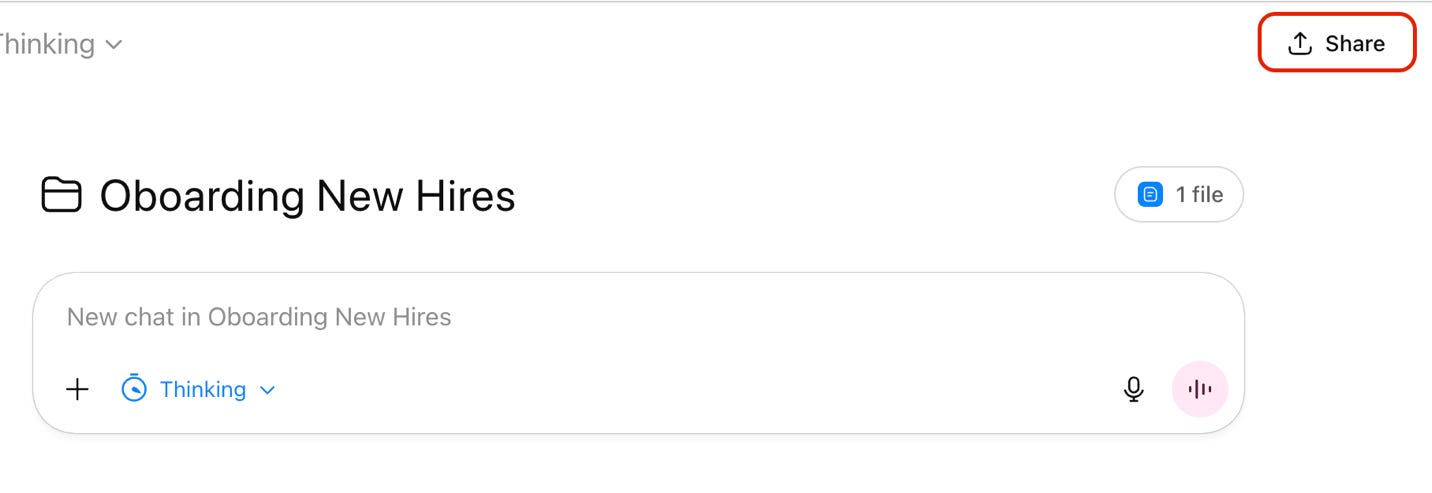
From inside the project, click “Share” in the upper right corner. Then you can enter your new hire’s email address or copy a link to share the project with them.
They’ll get their own thread inside the Project. Every question they ask pulls from your actual company docs.
Quick tip: start with the essentials. Upload 5–7 key documents first rather than your entire Google Drive. A focused knowledge base gives sharper answers.
Final thoughts
The beauty of this system is that your new hire now has a go-to source for any onboarding questions, freeing up your time for actual work.
If you try this, start small and iterate. Upload the essentials, see what questions your new hire asks most, and then add documents to fill those gaps. You’ll soon have a project that feels like a real onboarding hub and not just a mish-mash of random docs.
Talk soon,
Brian + Andrea